
Camera setup · Anpviz
Connect an Anpviz camera to VISEC.
Anpviz cameras support ONVIF and are built on the same platforms as several larger brands, so they follow the familiar pattern: activate the camera with a password first, then check whether ONVIF needs enabling and whether it wants its own user.
Download VISEC free
One camera free for life · Windows 10 & 11 · no card, no email.
First, try the easy way
Press scan.
VISEC searches your network for ONVIF cameras and lists what it finds. If your Anpviz camera already has ONVIF switched on, it appears here and you are watching live in a few seconds — nothing below is needed.
Getting it connected
If the camera does not appear.
Menu names move around between firmware versions, so treat these as the place to look rather than an exact path.
-
Activate the camera
A new camera has to be given a password before it will accept any connection. Do that in its web page or with the manufacturer's tool.
-
Check the ONVIF setting
Look under the network or integration settings. Some firmware has ONVIF on already; some needs it enabled.
-
Add an ONVIF user if asked for one
Where the firmware keeps a separate ONVIF account list, create a user there and give those credentials to VISEC.
-
Scan from VISEC
Press scan and sign in. If the camera does not appear, add it by its RTSP address instead.
PortsHTTP 80, RTSP 554.
CodecsUse standard H.264 or H.265 rather than any enhanced or smart variant, which is not part of the ONVIF standard.
PoE modelsMost wired Anpviz cameras are PoE, so one cable does power and video.
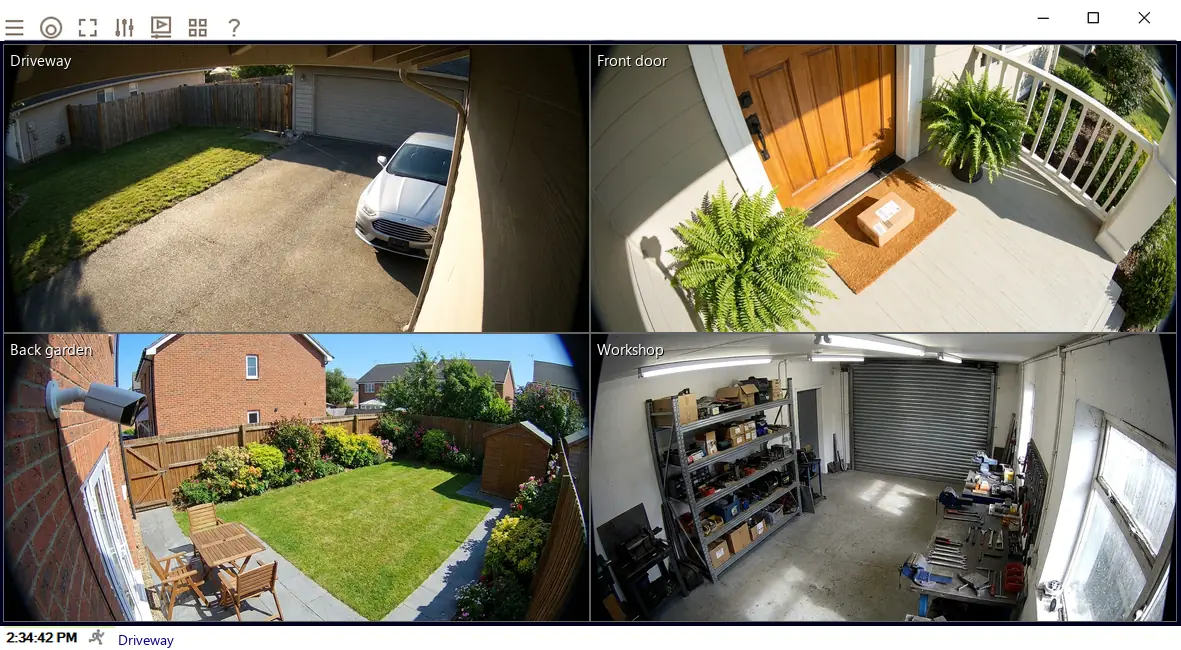
Once it is connected.
- Watch it liveOn its own or beside your other cameras, across up to 8 monitors.
- Record on motionChoose the part of the picture that matters and how sensitive it should be.
- Get an emailA snapshot the moment motion starts, so you know without watching.
- Read number platesPlate recognition is included in every license, including the free one camera license.
Try it on your Anpviz camera tonight.
The complete software, free for life on one camera. No card, no email, no trial clock.